Skip to content
View in the app

A better way to browse. Learn more.

TES Projects

A full-screen app on your home screen with push notifications, badges and more.

To install this app on iOS and iPadOS
  1. Tap the Share icon in Safari
  2. Scroll the menu and tap Add to Home Screen.
  3. Tap Add in the top-right corner.
To install this app on Android
  1. Tap the 3-dot menu (⋮) in the top-right corner of the browser.
  2. Tap Add to Home screen or Install app.
  3. Confirm by tapping Install.

World Cup

Featured Replies

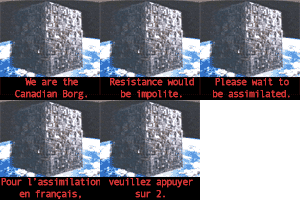
Let me start by saying I hate soccer. It's boring. Players dive all over the place and writhe around like they're dying. It's pathetic and really annoying. Needless to say, my favourite sport is hockey. I'm Canadian after all and there's only one kind of hockey. I also like rugby, box lacrosse and Canadian football. You get the drift.

However I am watching fast-forwarding through recordings of Canada's games until something happens. Now there is one game that I'll watch (on play-back after recording) just to hear this chant:

Aussie Chant.jpg

Apparently several Americans have posted that they are going to join in. I'll join in too - from my comfy couch. Game is on Friday in Canada.

Create an account or sign in to comment

Account

Navigation

Search

Search

Configure browser push notifications

Chrome (Android)
  1. Tap the lock icon next to the address bar.
  2. Tap Permissions → Notifications.
  3. Adjust your preference.
Chrome (Desktop)
  1. Click the padlock icon in the address bar.
  2. Select Site settings.
  3. Find Notifications and adjust your preference.