All Activity
Earlier
-
 AndalayBay posted a topic in GamesObtained from the AI response to "What does IFW Normals mean?" in Google.In 3D modelling, "IFW Normals" stands for Improved Face Weighted Normals. It specifically refers to a highly popular 3ds Max script used by 3D artists to automate and clean up the surface shading of medium-polygon models. 1. What are Face Weighted Normals (FWN)? In 3D graphics, "normals" are invisible vectors perpendicular to a polygon's surface that tell the game engine or renderer how light should bounce off the object. Normally, when you smooth a 3D mesh, the software averages the lighting across the corners (vertices), which often makes flat surfaces look strangely warped or lumpy around the edges. Face Weighted Normals fix this by forcing the vertex normals to lean heavily toward the largest, flattest faces. This results in perfectly flat shading on the flat parts and blends the shading entirely across small, bevelled edges. It mimics the look of a high-polygon model without adding the extra geometry or requiring custom normal map bakes. 2. What makes "IFW" (Improved) Normals different? While native face-weighted functions exist across different software (like Blender's Weighted Normal Modifier or Maya scripts), the IFW Normals script for 3ds Max introduced a critical feature: Coplanar Face Detection: Standard FWN tools look at each individual polygon's area. If a large flat surface is split into multiple smaller triangles or quads, standard calculators get confused because the individual faces are small. The "Improved" Fix: The IFW script mathematically treats adjacent, perfectly flat (coplanar) faces as if they were one giant unified face. This grants them the proper "weight" over the corners and delivers incredibly clean shading with a single click. Why 3D Artists Use It: 🛠️ Hard-Surface & Mid-Poly Modelling: Essential for sci-fi environments, weapons, vehicles, and architecture. 🚀 Game Performance: Widely used in modern game development (engines like Unreal or Unity) because it delivers realistic edge highlights while keeping vertex counts low.
 -
AndalayBay replied to AndalayBay's topic in General DiscussionHeh, doesn't work for me. It just flashes up a window and exits.
-
 Vorians replied to AndalayBay's topic in General DiscussionThe .BAT file contained the line "cd .\" which means work in the same folder as the .BAT file. Launching it via the elevated privileges command caused Windows to think it was meant to be working in the same folder as schtasks.exe, which is the Windows\System32 folder, so even with elevated privileges Windows blocked it from editing anything in such an essential location, access denied (and it would have failed anyway since the DLL and EXE files the .BAT file touches aren't in System32). Google AI said to replace that line with "cd /d "%~dp0"" which redirects back to the same folder as the .BAT file.
 -
AndalayBay replied to AndalayBay's topic in General DiscussionWell, what was it then?
-
Vorians replied to AndalayBay's topic in General DiscussionUnfortunately, doesn't work with the .BAT file launcher I use for the CSE. EDIT Fixed, Google AI told me what to change in the .BAT script.
-
AndalayBay posted a topic in General DiscussionI have a couple of applications that have to run with administrator privileges. One in particular is the Construction Set Extender (CSE). However I am getting tired of Windows prompting me to confirm that I want to allow it to make changes to my PC. In order to fix this you have two options. The first is to disable the UAC. Doing that will leave you open to attack if you happen to run a program with malicious code in it, so that is a very bad idea. So I searched for a solution that doesn't require you to disable the UAC. I have to ask why Microsoft just doesn't add a white list option for us to add such programs to, but they probably don't know how. Here's the process for stopping the prompt: Create an Elevated Task Open the Start menu, type Task Scheduler, and open the tool. Click Create Task in the right-hand panel. Name the task under the General tab. Check the box for Run with highest privileges. Go to the Actions tab, click New, select Start a program, and browse to choose your app's .exe file. Click OK to save the task. Make a Desktop Shortcut Right-click your desktop and select New > Shortcut. Paste the following command into the location box: schtasks /run /tn "YourTaskName" (replace YourTaskName with the exact name you used). Click Next, name your shortcut, and click Finish. Double-click your new shortcut to launch the app cleanly without a UAC prompt. So far I just continue to click Yes...
-
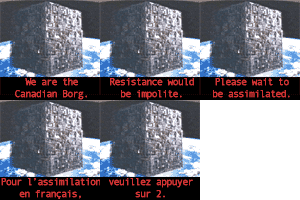
AndalayBay posted a topic in General DiscussionCiv fans out there might get the urge to play again... Ars TechnicaMeet the only known trebuchet casualty in historyIt highlights the brutality of medieval warfare," said paleopathologist Jo Buckberry.
-
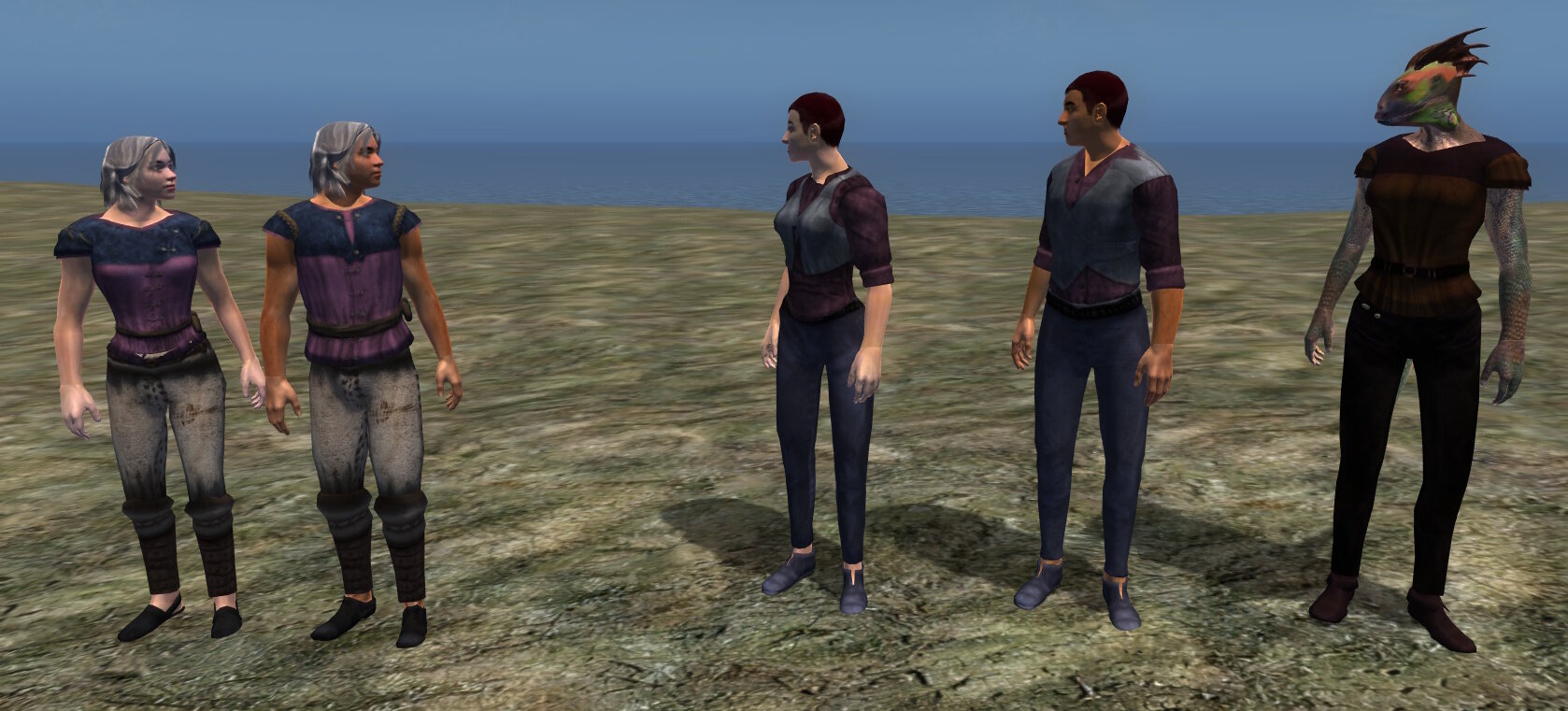
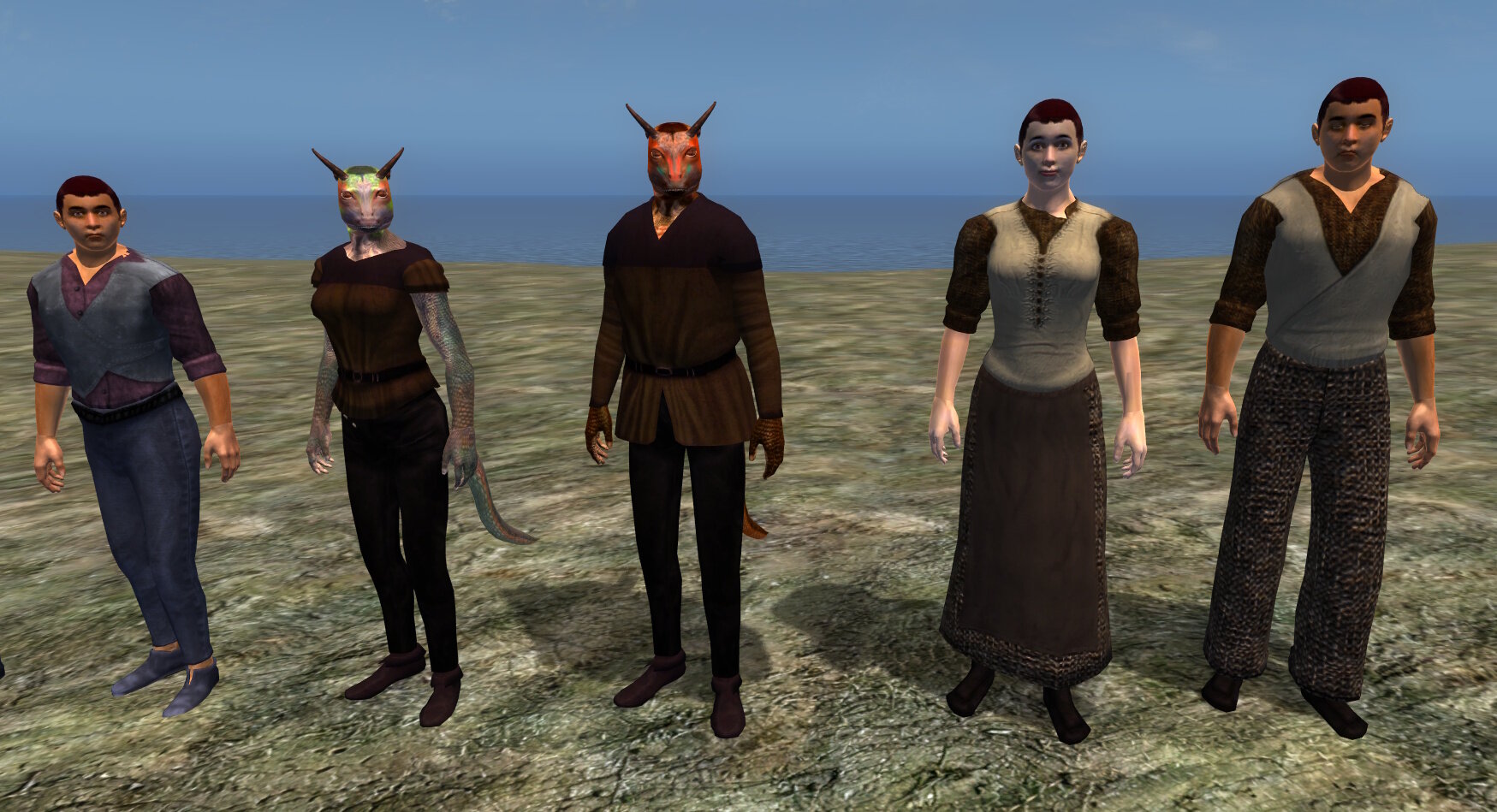
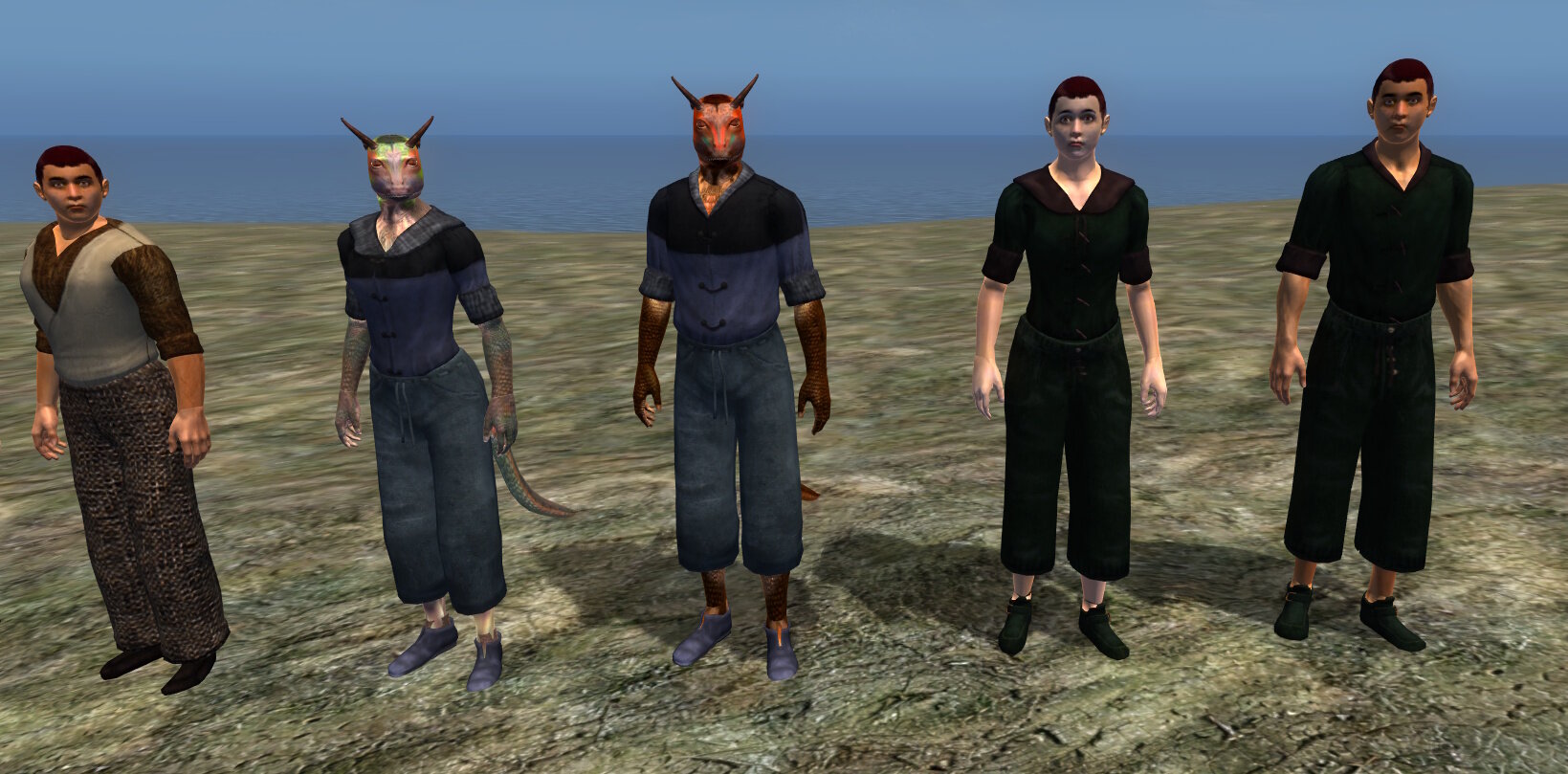
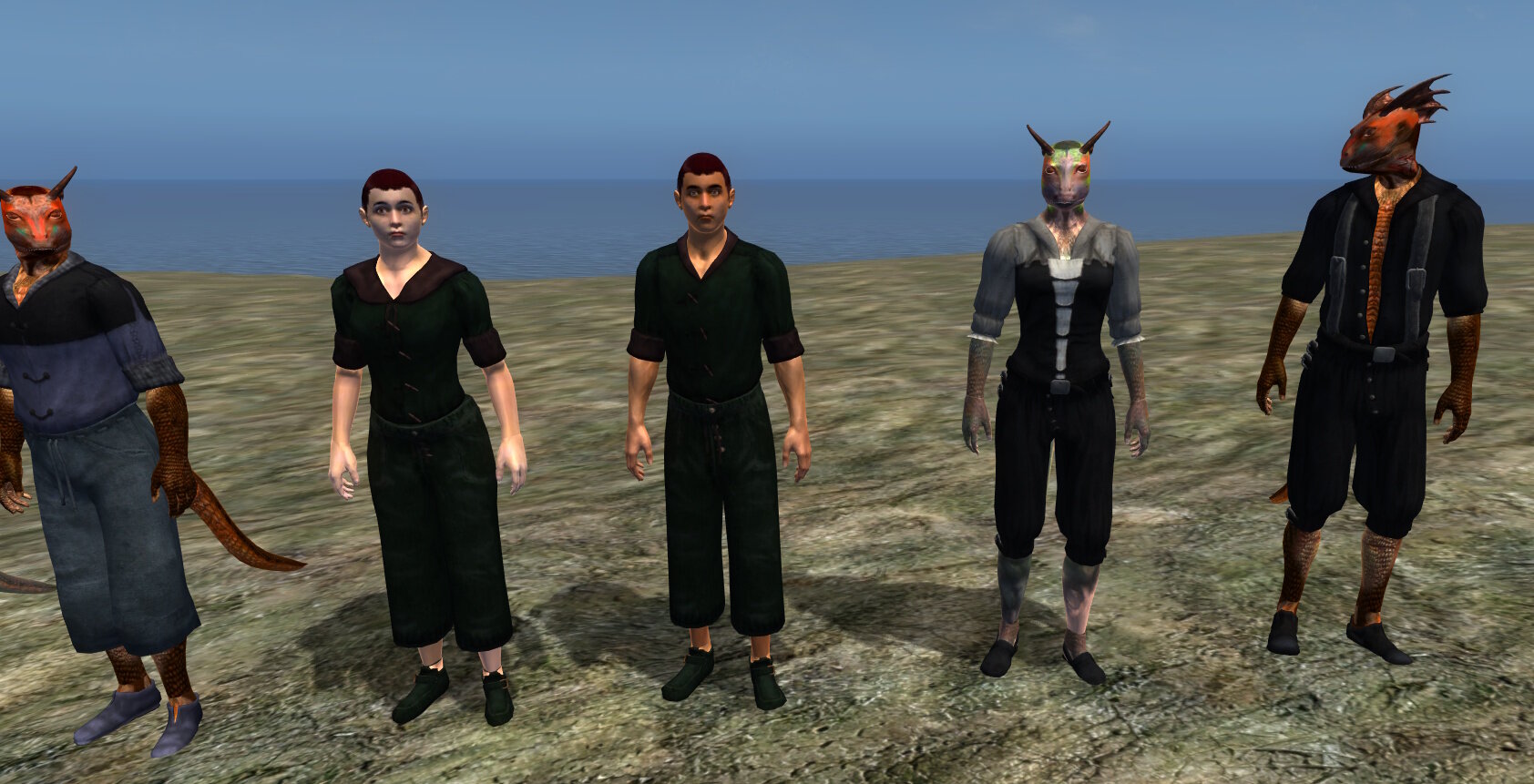
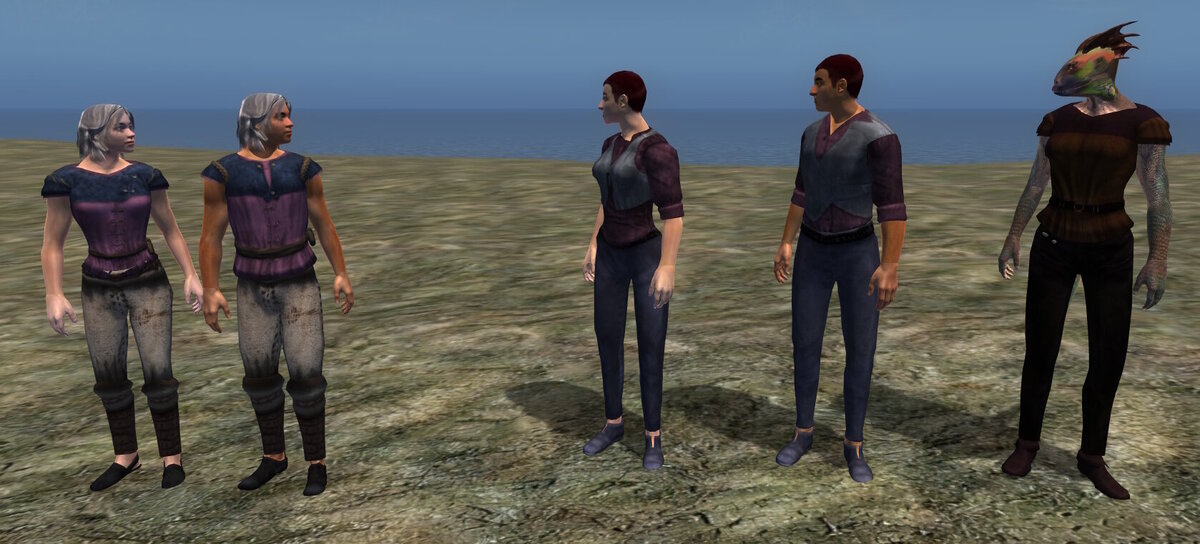
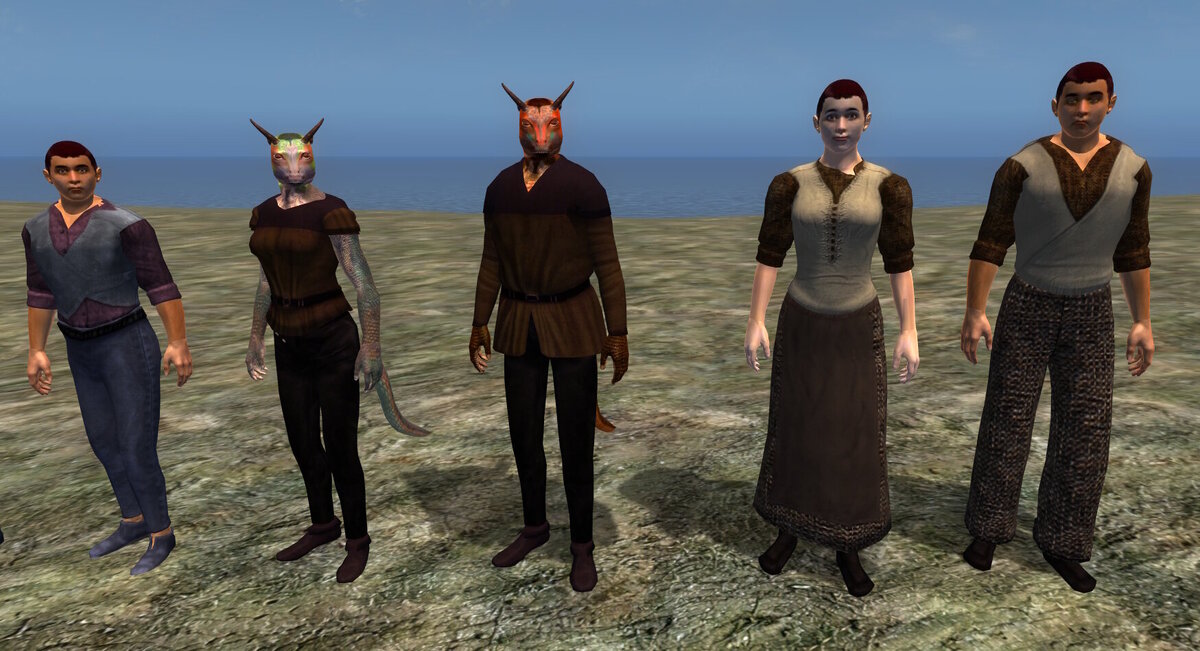
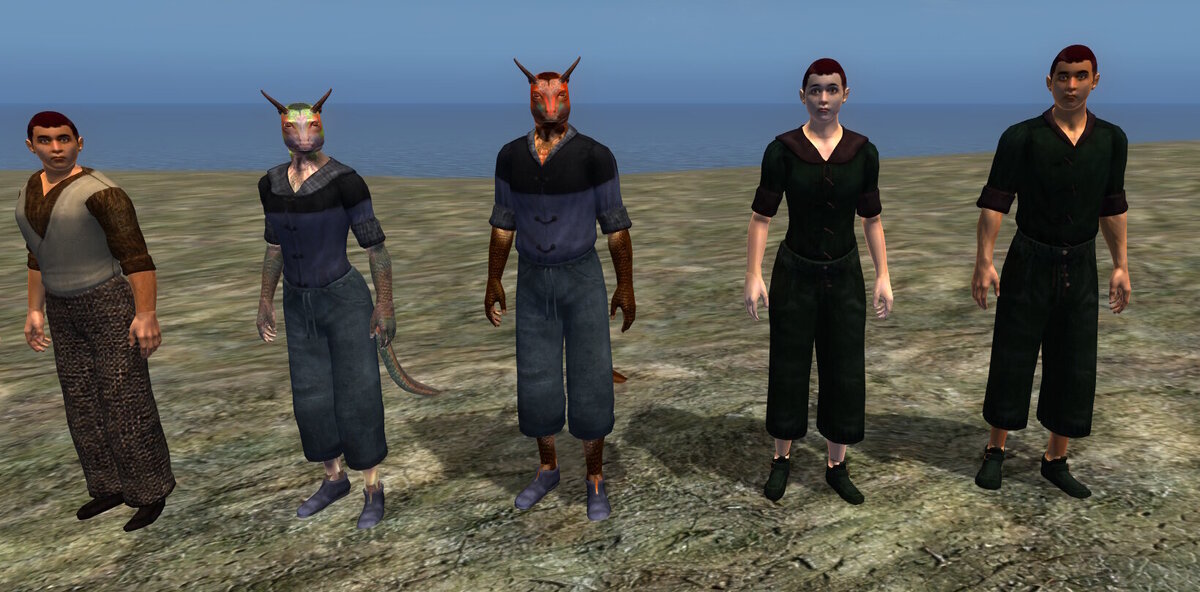
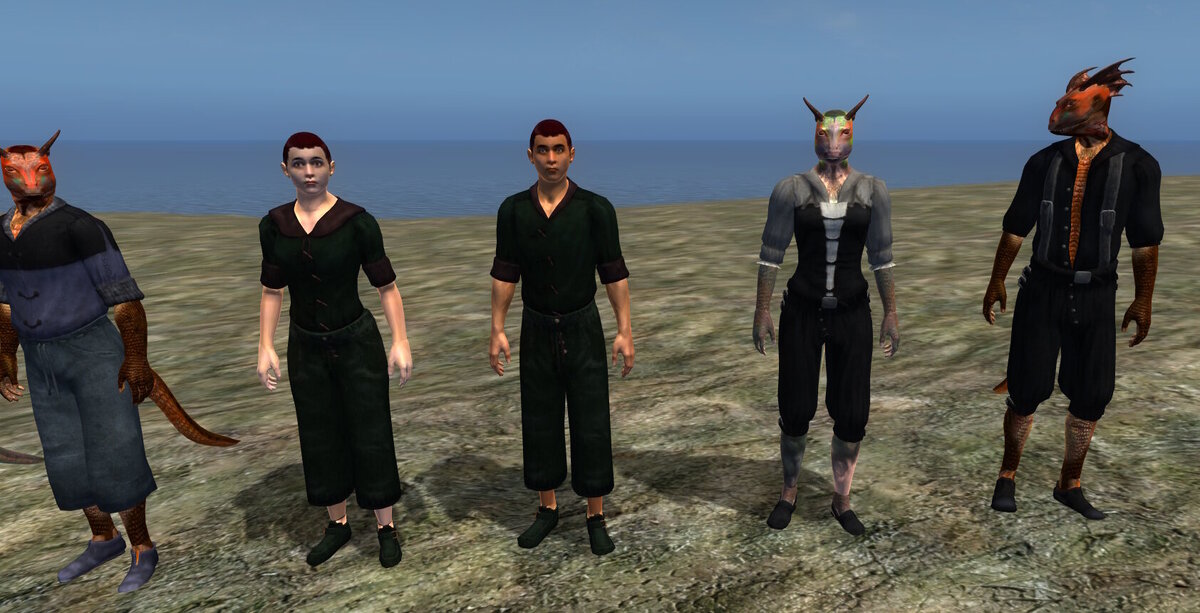
AndalayBay replied to AndalayBay's topic in Argonia - The Black MarshesThe latest fashion in Black Marsh, featuring our lower class collection: We also have some unique pieces, not shown.
-
AndalayBay replied to AndalayBay's topic in Argonia - The Black MarshesYou found us! Welcome aboard. Still chugging away.
-
 Thingy Person changed their profile photo
 -
Thingy Person replied to AndalayBay's topic in Argonia - The Black MarshesHi, just popping in to say I'm following along with excitement! Would be awesome to see this project finally land someday.
-
Thingy Person joined the community
-
 MargaretD_74 joined the community
 -
AndalayBay replied to AndalayBay's topic in General DiscussionForums upgraded to 5.0.19. Even though it's not listed, it appears they have fixed the issue with custom emotes (emojis) not working. We have a nice selection - check them out!
-
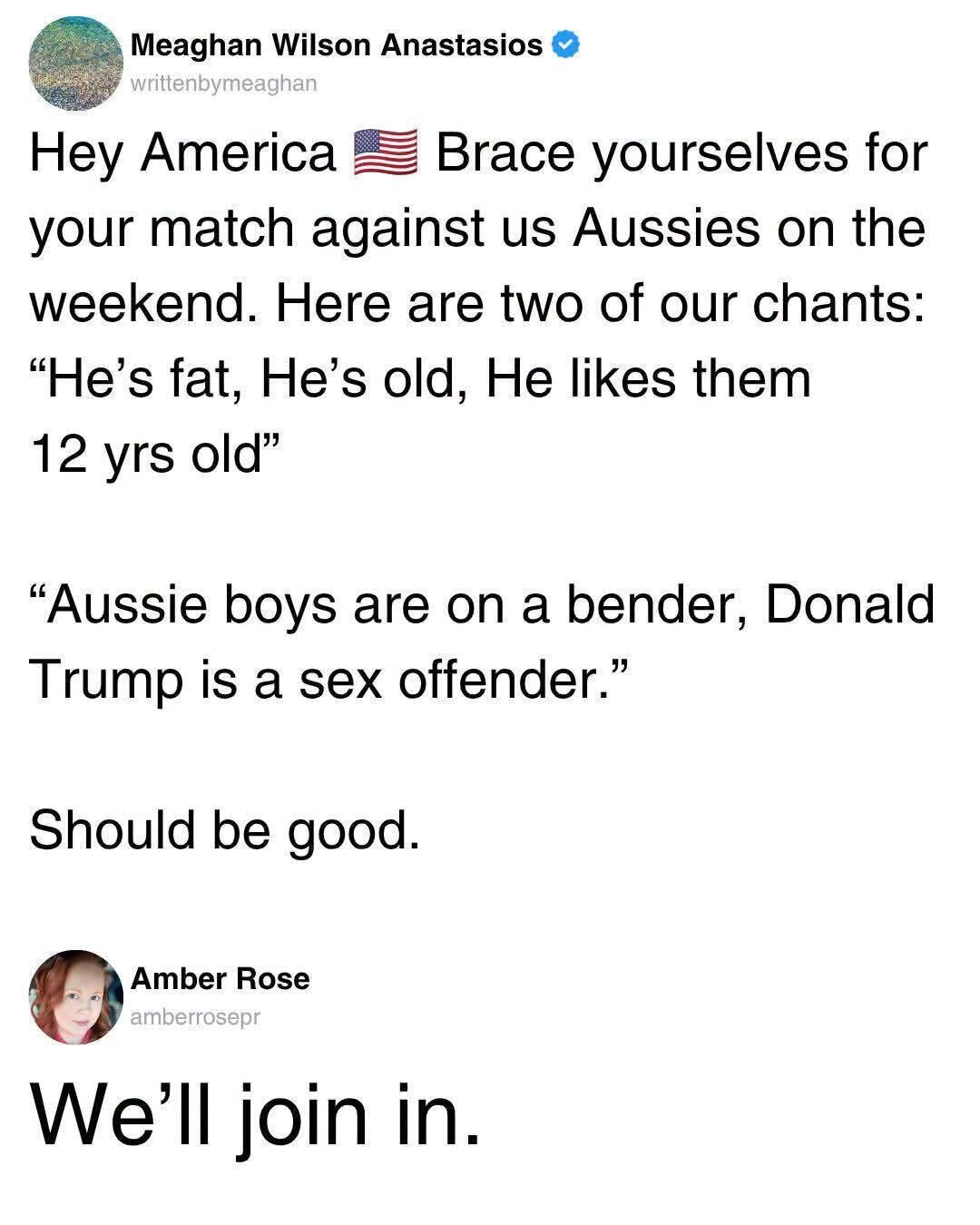
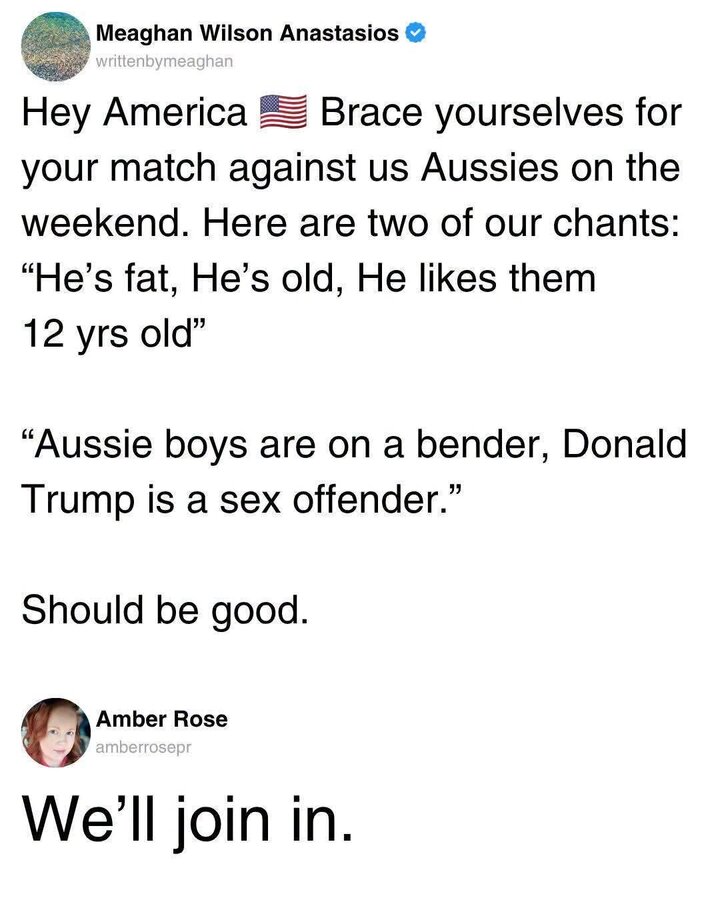
AndalayBay posted a topic in General DiscussionLet me start by saying I hate soccer. It's boring. Players dive all over the place and writhe around like they're dying. It's pathetic and really annoying. Needless to say, my favourite sport is hockey. I'm Canadian after all and there's only one kind of hockey. I also like rugby, box lacrosse and Canadian football. You get the drift. However I am watching fast-forwarding through recordings of Canada's games until something happens. Now there is one game that I'll watch (on play-back after recording) just to hear this chant: Apparently several Americans have posted that they are going to join in. I'll join in too - from my comfy couch. Game is on Friday in Canada.
-
AndalayBay replied to AndalayBay's topic in GamesThe collision is fine. It uses the bhkRigidBody modifier method, not the HavokEngine method that the plugin you're using uses. You can work with Bethesda meshes just fine with this, it's just more tedious to create collision. I still need to work through the old tutorials to learn how to do collision again, if I can find any.
-
AndalayBay replied to AndalayBay's topic in Argonia - The Black MarshesWe're still here! I decided that there's no sense having a custom world without custom stuff to go in it, so I've learned how to retexture and do some basic modelling. Vorians knows how to create models already. So now we have a complete set of clothing, of all classes, and furniture. We already had some custom furniture that was created by Koniption, but now we have a full set of retextured vanilla furniture in each class. One of my biggest peeves with the original game was the bedding, so I've created new bedding or retextured the originals. I replaced the lower class bedding in particular. Yeah, you don't have much money, but that doesn't mean you'd sleep on dirty sheets! While I've been working on that, Vorians has been working on the Soulrest interiors. We have unique architecture for Soulrest, but the previous teams never got all the interior models done. They are a challenge, but Vorians is down to the last one, so that should be finished soon. We want to use one of the new Soulrest interiors for the second quest in the Hist Tribes questline, so I wanted to get those finished before getting back to the quests. I've also been doing an architecture overhaul. Most of the cities use vanilla architecture, so we've been grabbing modders resources to replace some of the buildings with custom pieces. Vorians reworked Gideon, replacing a lot of the buildings and gave it a new church. I retextured the remaining vanilla buildings. I've done the same on our other cities and settlements so each has a different look. We still have to redo Stormhold and Thorn. I'll post up some screenshots once I've updated the interiors.
-
AndalayBay replied to AndalayBay's topic in GamesI'm using figment's 3.8.0 which supports all Max versions up to 2016. He made some updates for the newer versions of Max, but I doubt he knows anything about HavokEngine. None of these guys have committed to any kind of development or support since the original devs. Even the version you have is no longer being developed or supported. Honestly I don't see any reason to upgrade Max anyway, especially for the games we're working on. At least I don't need to. I'll have to find some tutorials on doing collision again and then I can test Dagger's version. The old way of doing collision involves creating a bhkRigidBody modifier. That much I remember.
-
Vorians replied to AndalayBay's topic in GamesSure, I downloaded from here. I provided this link in my comment for DaggerfallTeam too. I'm concerned that we're probably not going to see any further work on this, as DaggerfallTeam keeps releasing new complex mods/utilities, but doesn't appear to release updates. He seems to be shooting out loads of new ideas and then never getting around to improving on them.
-
AndalayBay replied to AndalayBay's topic in GamesHe's not using the new mechanism that your plugin uses. The version you're using uses HavokEngine for the collision. Could you post a link to the version you're using? It looks like it's the best option for people using Max 2015-2018. I'll see if I can find the link to the one I'm using. Daggers' version would be an update to that, if he can get the collision sorted.
-
Vorians replied to AndalayBay's topic in GamesLeft a comment for DaggerfallTeam to look into collision as it doesn't work.
-
Vorians replied to AndalayBay's topic in GamesAh thanks good to know. Doesn't support the version of 3DS Max I'm using, might need to try a newer version.
-
AndalayBay posted a topic in GamesDaggerfallTeam has gotten in on the action. He took over one of the old versions and has updated it for newer versions of Max. It even supports old versions like 2013, which is what I have. https://www.nexusmods.com/skyrim/mods/121483
-
kioLob joined the community
-
AndalayBay posted a topic in General DiscussionWelcome to version 5 of IPS Community. I actually like this version and I haven't been able to say that in a while! Many of the features that needed third party add-ons or custom code are now built-in. The biggest one for gaming communities in particular is probably the addition of a dark theme by default. You can choose the theme or mode in the mode selection box at the bottom left of the forums. System Preference will change the mode according to your device settings. Now the toolbar for the editor is integrated properly since I don't need custom code to offer extended editor options like creating a table. These options are available in the drop-down menu in the toolbar. You now have a gazillion emotes and icons to choose from, in addition to our custom emotes. I just finished fixing the list so our custom emotes are displayed at the top of the list, as our superior emotes should be. Now I can get back to working on BM and stop messing around with the forums.
-
Teraunce joined the community
-
chayahui joined the community
-
AndalayBay replied to AndalayBay's topic in General DiscussionI've upgraded the dark theme I had installed and made it the default. I still don't know what's causing the errors.
-
AndalayBay replied to AndalayBay's topic in General DiscussionI might have to try that before my eyes get fried. Apparently IPS version 5 will finally offer a dark theme by default. I'll make a few tweaks so this one is bearable and then look at version 5 when it's released.
-
Vorians replied to AndalayBay's topic in General DiscussionDoesn't bother me, I use Dark Reader Firefox plugin so white is dark grey and text is white.
-
AndalayBay posted a topic in General Discussionl've had to revert to the IPS default white theme. Sorry about that! The dark themes are causing errors. Please use Invision white until I can rectify the situation.